Search Anything You Like

Tuesday, February 28, 2012

Run Command Shortcut Keys


The following are windows short-cut keys that you can use in Run Commands
Appwiz.cpl -- Used to run Add/Remove wizard

Calc --Calculator


Cfgwiz32 -- ISDN Configuration Wizard


Charmap --Character Map


Chkdisk --Repair damaged files


Cleanmgr --Cleans up hard drives


Clipbrd --Windows Clipboard viewer


Control --Displays Control Panel


Cmd --Opens a new Command Window


Control mouse --Used to control mouse properties


Dcomcnfg --DCOM user security


Debug --Assembly language programming tool


Defrag --Defragmentation tool


Drwatson --Records programs crash & snapshots


Dxdiag --DirectX Diagnostic Utility


Explorer --Windows Explorer


Fontview --Graphical font viewer


Fsmgmt.msc -- Used to open shared folders


Firewall.cpl -- Used to configure windows firewall


Ftp --FTP.exe program


Hostname --Returns Computer's name


Hdwwiz.cpl -- Used to run Add Hardware wizard


Ipconfig --Displays IP configuration for all network adapters


Logoff -- Used to logoff the computer


MMC --Microsoft Management Console


Msconfig --Configuration to edit startup files


Mstsc -- Used to access remote desktop


Msinfo32 --Microsoft System Information Utility


Nbtstat --Displays stats and current connections using  NetBIOS over TCP/IP


Netstat --Displays all active network connections


Nslookup--Returns your local DN S server


Osk ---Used to access on screen keyboard


Perfmon.msc -- Used to configure the performance of Monitor.


Ping -- Sends data to a specified host/IP


Powercfg.cpl -- Used to configure power option


Regedit --Registry Editor


Regwiz -- Registration wizard


Sfc /scannow -- System File Checker


Sndrec32 -- Sound Recorder


Shutdown -- Used to shutdown the windows


Spider -- Used to open spider solitaire card game


Sfc /scannow -- Used to run system file checker utility.


Sndvol32 --Volume control for soundcard


Sysedit -- Edit system startup files


Taskmgr --Task manager


Telephon.cpl -- Used to configure modem options.


Telnet --Telnet program


Tracert --Traces and displays all paths required to reach an Internet host


Winchat -- Used to chat with Microsoft


Wmplayer -- Used to run Windows Media player


Wab -- Used to open Windows address Book.


WinWord -- Used to open Microsoft word


Winipcfg --Displays IP configuration


Winver -- Used to check Windows Version


Wupdmgr --Takes you to Microsoft Windows Update


Write -- Used to open WordPad

Monday, February 27, 2012

Packeteer(Packetshaper) Useful Commands


1              To assign IP Address
                set ipaddress 192.1.6.64 255.255.255.0
                set gateway 192.1.6.60
2              To check the License
                ver ver 
3              To see the Configuration
                setup show       
4              To check IOS
                image show       
5              To check Class
                class show          
6              To check the Partition
                partition show  
7              To check Access Status
                set access show               
8              To configure Sys Log on PS
                set sys state on
                sys set syslogwarnsenabled 1
                set sys add host:192.68.141.10
                sys set syslog
                set syslog show               
9              To check Syslog Configuration
                set syslog show               
10           To check Tacacs configuration
                set tacacs show               
11           To see CPU Utilization
                sys health           
12           To check Class and Partition limit of PS
                sys limits             
13           To display the top 10 Bandwidth Users:
                hostdb info -sr -n 10      
14           To get connection list of a IP:
                traffic flow -n 100 -ItvpC -A 192.68.132.159          
15           To check BW Consumed by a IP Address:
                hostdb info 10.87.132.159           
16           To check filter Table:
                ipfilter show      
17           To bypass the Traffic from Shaping
                ipfilter passthrough inside src 192.68.132.159
                ipfilter passthrough outside dst 192.68.132.159 
18           To disable ssh ver 1 on PS
                sys set showdebug 1
                sys set enableSupportForSSHv1
                sys set enableSupportForSSHv1 0
                sys set enableSupportForSSHv1
                sys set showdebug 0

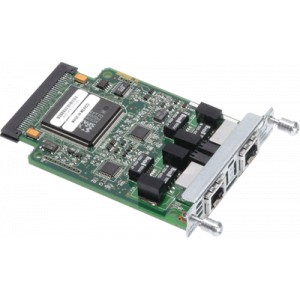
Channelised E1/PRI Card Configuration in Router


E1/PRI card Configuration
Please Follow the below given Steps:

1. Insert E1 Card in router's Slot.
2. Power on the Router.
3. Give User name & Password.

Cisco#show controllers E1
Cisco#Config t
Cisco(Config)#card type E1 0 0
Cisco(Config)#controller E1 0/0/0
Cisco(Config-controller)#channel-group 0 timeslots 1-31
Cisco(Config-controller)#framing no-crc4
Cisco(Config-controller)#exit
Cisco(Config)#exit

Cisco#Sh IP Interface brief

Trunk & Access Interface(Port) Configuration in Cisco Switch


Trunk interface Configuration:
The below commands should be applied in switch interface which is connected to another switch.
       interface GigabitEthernet< interface number>
                switchport trunk encapsulation dot1q
                switchport trunk native vlan < unused vlan >
                switchport mode trunk
                switchport nonegotiate
                logging event link-status

Access port configuration:
 The below commands should be applied in switch interface which is connected to single host.
      interface GigabitEthernet< interface number>
                switchport mode access
                switchport access vlan
                spanning-tree portfast
                spanning-tree bpduguard enable
                switchport port-security
                switchport port-security maximum 1

Sunday, February 26, 2012

IP Address Classification & Category


IP Address is 32 bit logical address define in Network Header. This makes enable a computer to communicate with another computer on network. It is represented by Dotted decimal. It has four octets. Each octet is of 8 bit (8*4=32).
It has two versions. (i) IP v4 (ii) IPv6
IPv4 – 32 Bit
IPv6 – 128 Bit
It has two portions (i) Network Portion (ii) Host Portion

Class A, B, and C IP address formats.


Class A IP addresses are for big internetworks. The first octet is the network portion, and the last
three octets are the host portion. Only 256 numbers are available in the eight-bit network part, but 16,777,216 numbers are available in the host part of each of those network addresses.

Class B addresses are for medium-size internetworks. The first two octets are the network portion and the last two octets are the host portion. There are 65,536 available numbers in the
network  part and an equal number in the host part.

Class C addresses are just the opposite of class A. The first three octets are the network portion,
and the last octet is the host portion.


Address masks for class A, B, and C network addresses.

Class                      Mask                                          Dotted Decimal
A             11111111000000000000000000000000     255.0.0.0
B             11111111111111110000000000000000     255.255.0.0
C             11111111111111111111111100000000     255.255.255.0


The subnet mask may be represented in three different formats.


  Reserved Range by IANA for Private IP Addresses are as below:

A Class - 10.0.0.0 - 10.255.255.255
B Class - 172.16.0.0 - 172.31.255.255
C Class - 192.168.0.0 - 192.168.255.255